Issues
Issues are structured reports generated from Checkup findings and continuous monitoring. They track database problems over time and provide a workflow for resolution.
How issues work
- Checkup runs (manually or on a schedule) and detects problems
- Findings become issues in PostgresAI Console
- Issues include severity, affected objects, recommended actions, and SQL fixes
- You resolve issues using the CLI, console UI, or AI coding tools
Viewing issues
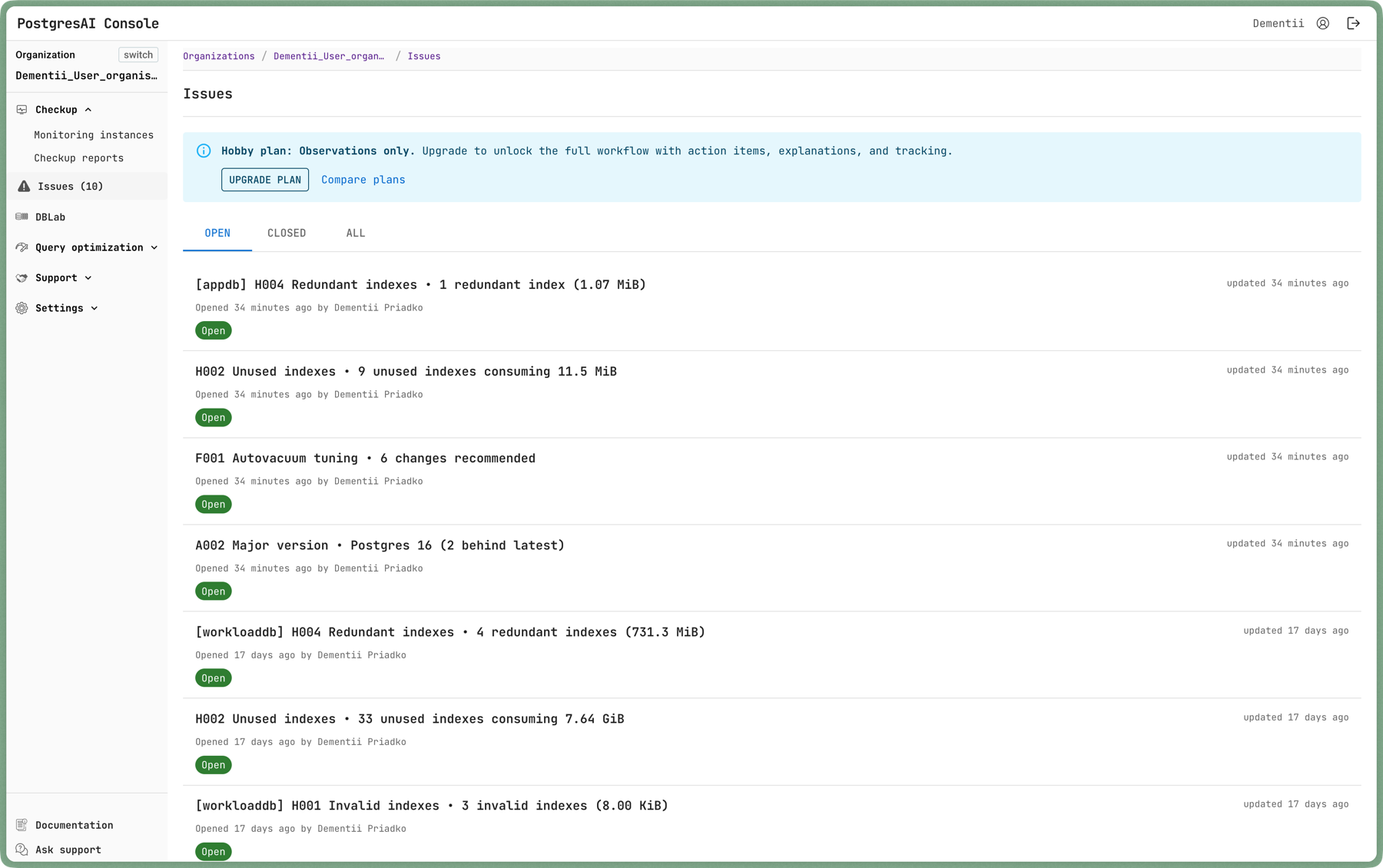
In PostgresAI Console
Open PostgresAI Console and click Issues in the left sidebar. Each issue shows severity, title, and status.
Via CLI
# List all issues
npx postgresai issues list

# View a specific issue
npx postgresai issues view <issue_id>

# Post a comment
npx postgresai issues post_comment <issue_id> "Fixed by dropping unused indexes"
Resolving issues
Manual resolution
- Read the issue to understand the finding
- Follow the recommended actions (SQL is provided)
- Re-run Checkup to verify the fix
- Mark the issue as resolved
AI-assisted resolution
Issues can be resolved directly in AI coding tools that support MCP:
- Install MCP integration:
npx postgresai mcp install - Open the issue in your AI coding tool (Claude Code, Cursor, Windsurf, or Codex)
- The AI walks through the recommended steps and helps execute fixes
Resolve in Cursor
From the Console issue page, click Resolve in Cursor to open the issue directly in Cursor with all context pre-loaded.
Daily reports
With managed monitoring, PostgresAI generates daily issue reports automatically. These reports run all 23 checks, create issues for new findings, update existing issues when findings change, and close issues when problems are resolved.
This is the most effective way to use PostgresAI — problems are caught daily before they affect your users, and each issue comes with a clear fix you can apply immediately or delegate to an AI coding tool.
Issue lifecycle
| Status | Meaning |
|---|---|
| Open | Problem detected, action needed |
| In progress | Someone is working on it |
| Resolved | Fix applied and verified |
| Won't fix | Acknowledged but intentionally left as-is |
Authentication
To use issues via CLI, authenticate first:
npx postgresai auth
This opens a browser for login and stores the API key locally.
Get started
To enable daily reports and issue tracking, install managed monitoring from PostgresAI Console.
- How to install MCP — set up AI tool integration
- Checkup — understand what gets checked